M2 guide

M2 App: Install on Android, iPhone & Desktop

The All-New M2 App installs straight from your browser. No APK, no app store: open the official link and add M2 to your Home Screen.

All-New M2 App

Premium Games & Support

Android

Apple iOS

Desktop

Install from the official link only. Open m2win001.com (or the backup m2win002.com) first, then follow the steps below. An icon added from any other address will take you to that address every time.

Android · Chrome

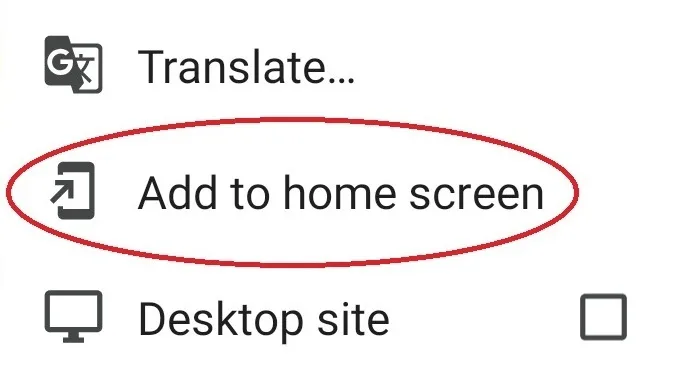
  1. Tap dotted setting icon at top right of the address bar.
  2. Tap Add to Home Screen to pop up installation for M2 App.
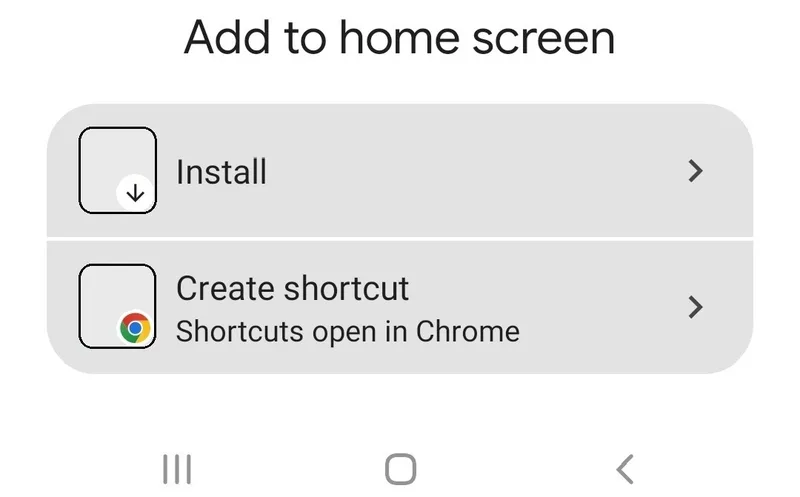
  3. Tap Install to own the M2 App, launch & enjoy your game!

Android step 1: Tap dotted setting icon at top right of the address bar.Android step 2: Tap Add to Home Screen to pop up installation for M2 App.Android step 3: Tap Install to own the M2 App, launch & enjoy your game!
Apple iOS · Safari

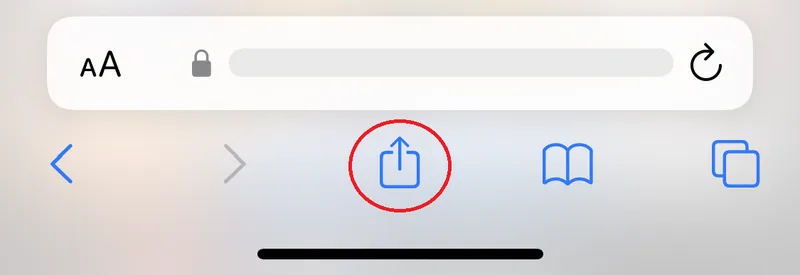
  1. Tap share button at the bottom of the address bar.
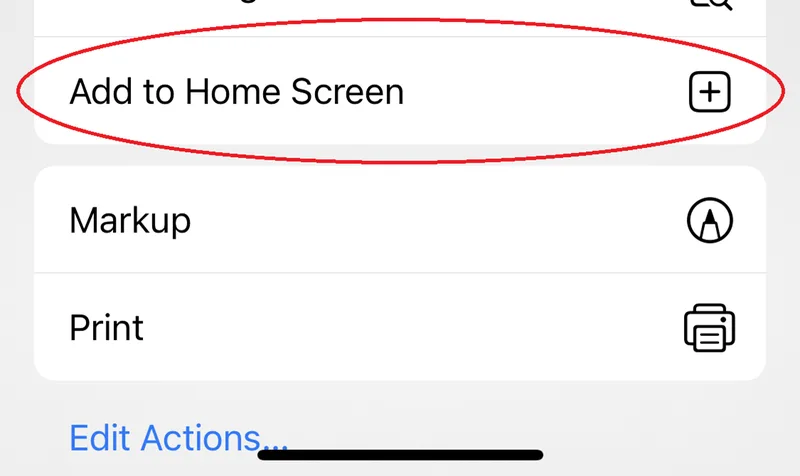
  2. Tap Add to Home Screen to pop up installation for M2 App.
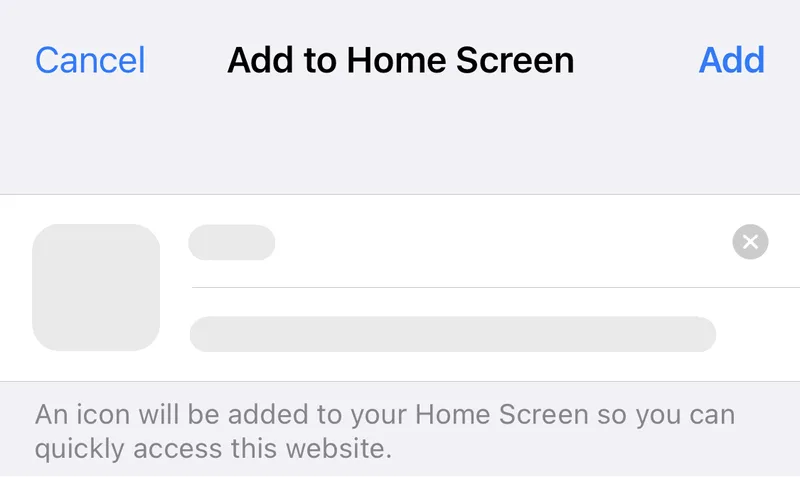
  3. Tap Add to own the M2 App, launch & enjoy your game!
Apple iOS step 1: Tap share button at the bottom of the address bar.Apple iOS step 2: Tap Add to Home Screen to pop up installation for M2 App.Apple iOS step 3: Tap Add to own the M2 App, launch & enjoy your game!
Desktop · Chrome or Edge

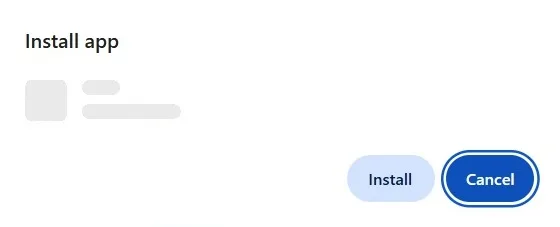
  1. Click desktop download button at right side of the address bar to pop up installation for M2 App.
  2. Click Install to own the M2 App, launch & enjoy your game!
Desktop step 1: Click desktop download button at right side of the address bar to pop up installation for M2 App.Desktop step 2: Click Install to own the M2 App, launch & enjoy your game!
App vs browser: which should you use?

Both open the same official site. The Home Screen app simply opens full screen with one tap, skips the address bar and keeps you away from search results that could lead to fake sites. More on this in M2 Home Screen App vs Mobile Browser.

FAQs

Questions

Is there an M2 APK?

You do not need one. The M2 App is installed from your browser with Add to Home Screen (or Install on desktop), so there is no APK to sideload and nothing to download from an app store.

Does the M2 App use much storage?

Very little. A Home Screen app is a shortcut to the official site that opens full screen, not a full app package.

Do I need to update the M2 App?

No. Because it loads the live site, you always get the latest version when you open it.

I added M2 to my Home Screen but it opens the wrong address. What now?

Delete the icon, open the latest link m2win001.com in your browser, and add it to your Home Screen again from there.

Does the M2 App work on iPhone?

Yes. Open the official link in Safari, tap Share, then Add to Home Screen and Add.